

AI Design Tools for Business Websites: Visual Ideas Without Damaging Trust
A design-focused article on using AI image and design tools for website visuals, hero sections, banners and social creatives without losing brand trust.
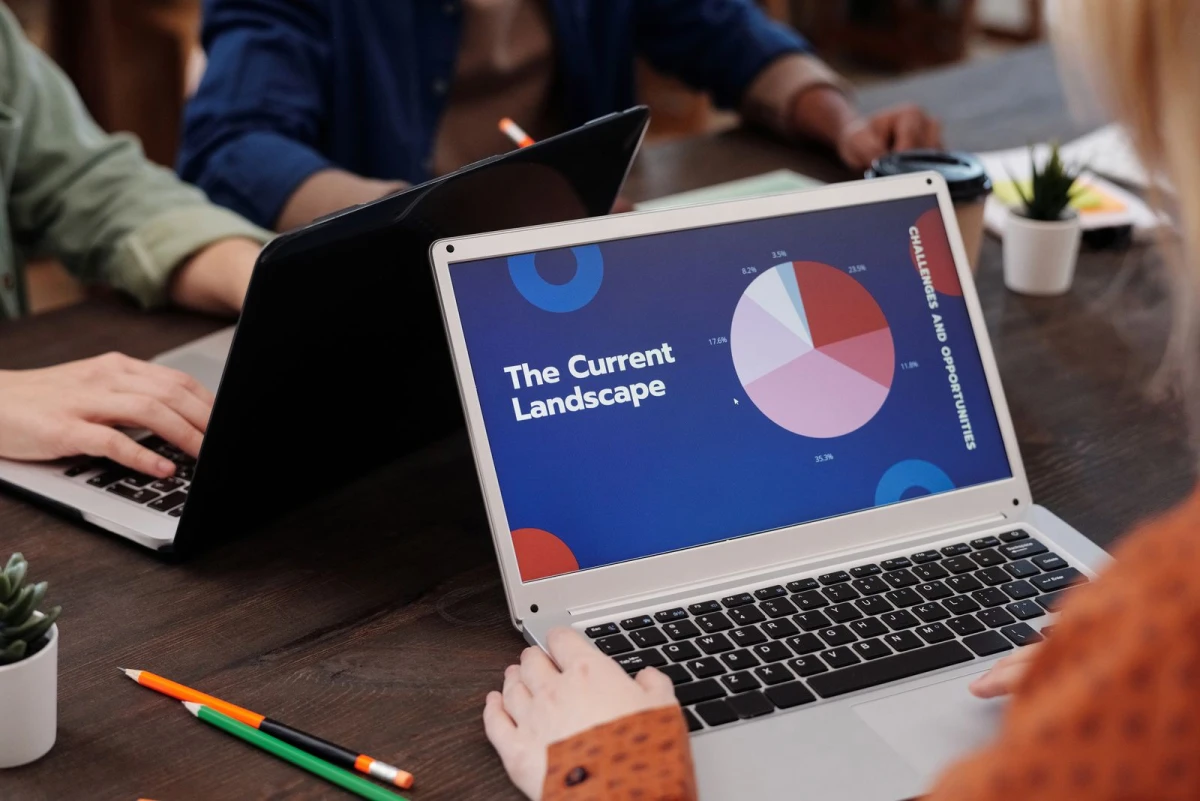
Good visuals support the message; they do not replace it
AI design tools can create impressive images and visual concepts, but a business website is not an art gallery. The visual must support the customer journey. A clinic needs calm trust. An ecommerce store needs product clarity. A software company needs interface confidence. A restaurant needs appetite and location relevance.
If AI visuals look stylish but do not explain the business, they may reduce trust. The best AI design workflow starts with the page purpose before image generation.
Where AI design tools help
| Design need | AI support | Human check |
|---|---|---|
| Hero section | Create visual direction options | Does it match the offer? |
| Blog images | Generate concept ideas | Is it relevant and not misleading? |
| Social creatives | Explore campaign styles | Is text readable and brand-safe? |
| Moodboards | Compare visual styles | Can the style scale across pages? |
| Icons | Suggest visual metaphors | Are they simple and consistent? |
Prompting for business visuals
A useful visual prompt includes business type, page purpose, audience, subject, style, lighting, composition and restrictions. For example: “Create a realistic website hero image concept for a dental clinic targeting families, calm reception setting, clean lighting, professional Indian healthcare feel, no text, no distorted faces.”
This prompt is much stronger than “create a modern AI website image.” Specific prompts reduce irrelevant visuals and help the designer choose better directions.
Common visual mistakes
- Using AI images with unreadable fake text inside banners.
- Choosing futuristic visuals for businesses that need local trust.
- Mixing many styles across one website.
- Using images that slow down mobile pages.
- Publishing visuals without checking details, realism and brand fit.
- Letting images decide page structure instead of supporting it.
Design and development must work together
A website visual still needs proper cropping, mobile behavior, compression, alt text and page speed. A large AI image can make the page slow. A beautiful banner can hide the CTA on mobile. A graphic can confuse visitors if it does not match the service.
Indian Web Services describes its work around strategy, design, development, SEO and digital growth. That is important because website visuals should connect with structure, content and lead capture, not stand alone. The service overview is available at Indian Web Services digital services.
A practical workflow
- Write the page goal first.
- List the emotion the visitor should feel.
- Generate three visual directions, not one final image.
- Choose the direction that supports trust and clarity.
- Adapt the visual into the actual website layout.
- Compress, test on mobile and add useful alt text.
Conclusion
AI design tools are excellent for exploring visual direction. They become useful for business only when the final design supports clarity, trust and conversion.
Design trust is different by industry
A healthcare website should not look like a crypto dashboard. A school website should not look like a nightclub poster. A legal consultant should not use cartoonish visuals unless that is part of the brand. AI design tools often create attractive images, but the business must decide whether the image creates the right trust signal.
Industry context matters. Clinics need calm, clean and human visuals. Ecommerce stores need product clarity. Construction companies need project proof. Technology companies need clarity without becoming too abstract.
How to use AI for hero sections
The hero section is the first impression of the website. AI can help create background concepts, but the hero must still contain a clear headline, subheadline and CTA. The image should not compete with the message.
For mobile screens, the image may crop differently. This is why AI-generated visuals should be tested inside the actual website layout before approval.
Image prompts that avoid common problems
Use restrictions in prompts: no text, no watermark, no distorted hands, no unrealistic faces, no extra logos, no unreadable signboards. For business websites, text should usually be added by the designer in HTML or design software, not generated inside the image.
A useful prompt also includes composition. For example, “leave empty space on the left for headline text” helps designers use the image in a hero banner.
Why design still needs a web team
AI can create visual options, but the final website must handle layout, responsiveness, accessibility, speed, SEO and CMS editing. A polished image cannot replace a working system. Business owners should treat AI design as inspiration, not final delivery.
How to create a visual direction board
Before generating final visuals, create a direction board with three columns: trustworthy, energetic and premium. Place reference images, color ideas, layout examples and words that describe the desired feeling. Then use AI to explore options inside one selected direction.
This process prevents random visuals. A business can decide whether it wants to feel calm, local, luxurious, technical, friendly or professional before generating images.
Matching visuals with website sections
Not every section needs a large AI image. A homepage hero may need a strong visual. A process section may need icons. A testimonial section may need real client photos or neutral design. A service page may need screenshots or project examples rather than abstract images.
The visual should match the section’s job. If the section explains process, clarity matters more than decoration. If the section builds trust, real proof may beat AI artwork.
Performance and accessibility
AI images should be compressed, cropped and given meaningful alt text. Large images slow websites, especially on mobile data connections. Accessibility also matters because image meaning should not be hidden from users who rely on assistive technology.
Real images versus AI-generated images
AI images are useful, but real photos often create stronger trust for local businesses. A clinic reception, a restaurant dining area, a salon workspace or an actual product photo can prove that the business is real. AI visuals should not replace real proof where proof matters.
A balanced website can use real images for trust sections and AI-assisted visuals for blogs, background concepts or abstract service explanations. This keeps the brand polished without making it feel fake.
How to brief a designer after AI exploration
Once AI creates visual directions, the business should not simply hand over a random image. Prepare a short brief: preferred style, rejected styles, page purpose, mobile behavior, brand colors, image role and examples of competitor sites to avoid. This helps the designer turn inspiration into a usable website section.
The final design should still be checked for readability, accessibility, loading speed and whether the CTA remains visible.
What's Your Reaction?
 Like
0
Like
0
 Dislike
0
Dislike
0
 Love
0
Love
0
 Funny
0
Funny
0
 Wow
0
Wow
0
 Sad
0
Sad
0
 Angry
0
Angry
0






Comments (0)